June 17, 2025
•
Maintenance & MRO
•
Philipp Begala
9 Ways to Find the Right Spare Part Faster
You can usually find the right spare part from what is already at the machine. These nine habits get maintenance teams and parts desks there sooner, starting with the nameplate and ending with the photo.
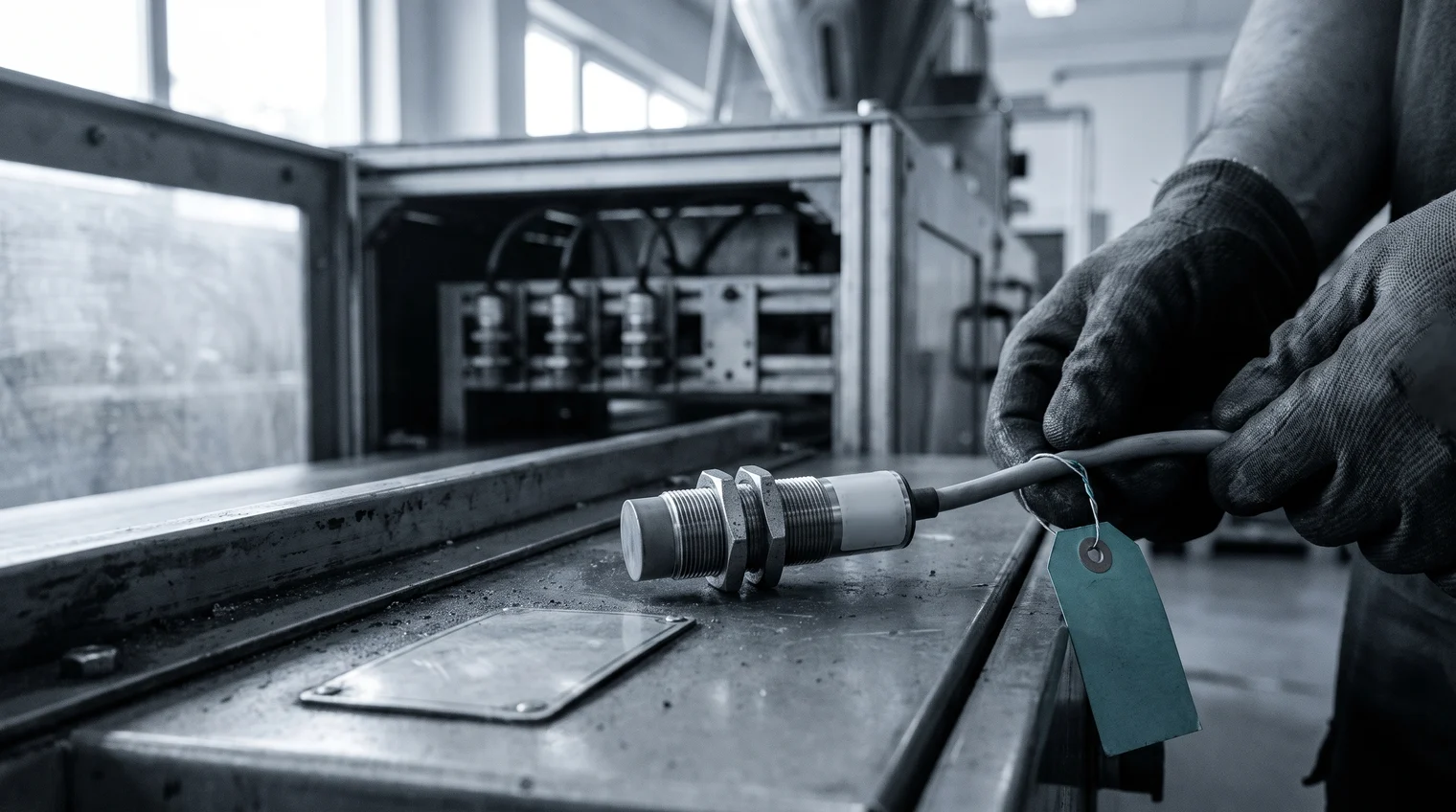
The sensor on the bench came out of a packaging machine that has run since 2009. Its label is half worn, the number in the manual belongs to a model the machine builder renamed years ago, and the line is waiting. Finding the right spare part in that moment is a matter of habit more than luck. The search is worth getting right: in a 2024 survey of maintenance experts by Fraunhofer IPK and CONTACT Software, information on spare parts and components was what respondents searched for most during maintenance work, and the authors found that searching for information takes up a large part of working time. These nine habits shorten it, for the plant's maintenance team and for the parts desk that answers its calls.
1. Start from the nameplate, not from a part number you don't have
Machines outlive their documentation. After ten or fifteen years, the machine builder may have renumbered the part, renamed it or stopped making it, and the number in the manual leads nowhere. What the machine still carries is more reliable: the type plate with its model and serial number, and the label on the part itself, even when half of it has worn away.
Write down everything legible before the part goes into a bin. The type code on a sensor's barrel or a valve's coil is often the shortest way to its record.
2. Confirm the exact match by the manufacturer part number
A part that looks right is not the same as a part that fits. A sensor in the same housing can switch at a different distance, and a valve with the same body can take a different coil voltage. A near match can cost a second repair, and on some machines the warranty or the safety approval too.
The safe match is the manufacturer part number, checked against the dimensions and the rating of the part in your hand. If the two disagree, trust the part and question the record.
3. Know who really made the part
Many parts in a machine were not made by the company that built it. The machine builder buys sensors, valves and contactors from their original manufacturers and sells them on under its own number.
Knowing the original manufacturer behind it changes the search. The part may already be in stock under the maker's own number, and more than one supplier may sell it. The buyer's side of this, and why the search so often stops at the machine builder, is the subject of why the OEM is often the only source you can see.
4. Search by what the part does, not by one supplier's name for it
Every supplier names its parts its own way: sequential numbers, in-house abbreviations, a description by mounting position, or a short text typed in another language with its special characters lost on the way. A search that expects one exact name fails on all of them.
Describe the part the way a colleague would understand it, by its function, its size and where it sits: "inductive sensor M18, end stop on the outfeed conveyor". Then use a search that matches meaning rather than spelling.
5. Let the parts list narrow the search
When a part is hard to name, its place in the machine usually is not. The bill of materials lists what sits in each assembly, and starting from the assembly cuts a catalog of thousands of parts down to a few dozen candidates.
Parts lists are not always complete or current, especially on machines modified over the years. Treat the list as a way to narrow the search, then confirm the part by its manufacturer part number.
6. Keep one complete record per part
Every search ends in a record, and the record decides whether the next person finds the part. A complete record names the manufacturer and the manufacturer part number, describes the part the same way as its neighbors, and carries the attributes a technician checks at the machine.
Two records for one part split its stock and its history in half. Correct the record when you find the part, while the details are in front of you, and the next person finds it in one step.

7. Check every plant's storeroom before you order
A stopped machine makes every part urgent, and urgent orders are the expensive ones. Before anyone orders, check whether the part is already on a shelf, in this storeroom or at a sister plant. A part that a colleague at another site can put on the next truck often arrives sooner than a new one, and the plant has already paid for it. For the maintenance team, knowing where the critical spares sit is the first answer to a breakdown.
8. Plan for the parts that will disappear
Machine builders merge, sell product lines and stop supporting old models, and component makers retire parts on their own schedule. A part that is phasing out today will be hard to find next year.
Mark the parts in your machines that are heading for obsolescence, note the date that matters, and look for potential alternatives while there is still time to test them. A search that starts before the breakdown is a planning task. The same search after it is an emergency.
9. Use a photo when nothing on the part is legible
Some parts reach the bench with nothing left to read: no label, no type code, a housing worn smooth. Then a photo is one more way in. It works best together with what you know about the machine and the part's position in it, and the match is still confirmed against the part in your hand before anything is ordered.
Find the right spare part from what the machine still tells you
Partium Find starts where the first habit does. Scan the label or nameplate, and Find returns results from the text on it. Where the label has worn away, the technician describes the part instead. Type what you know: a few words, a function, part of a description. Find searches by meaning, not by exact naming. And when nothing on the part is legible any more, the photo is the last way in. Take a photo of the part. Find matches it even when the part is worn, dirty or obfuscated. Often the search shows that the record is thin. When a part's record is incomplete, you complete it in Partium Cockpit: Partium Agent proposes what is missing, and your team decides.
At Deutsche Bahn, maintenance teams work this way with DB Mat.ID, an app built with Partium. At the vehicle, a technician searches by text or photographs the removed part, and DB Mat.ID shows its SAP number, manufacturer, storage location and stock within seconds.
If a part held up a repair last month, book a demo and bring its label, or what is left of it.
See it on your own catalog.
Book a demo, or start with a demo license.