
The savings are already in your spare parts spend.
For MRO procurement and sourcing: Partium Cockpit shows what each spare part should cost, who else can supply it, and what you already hold in stock, on item data you can take to a tender.
Spend and price · Partium Cockpit
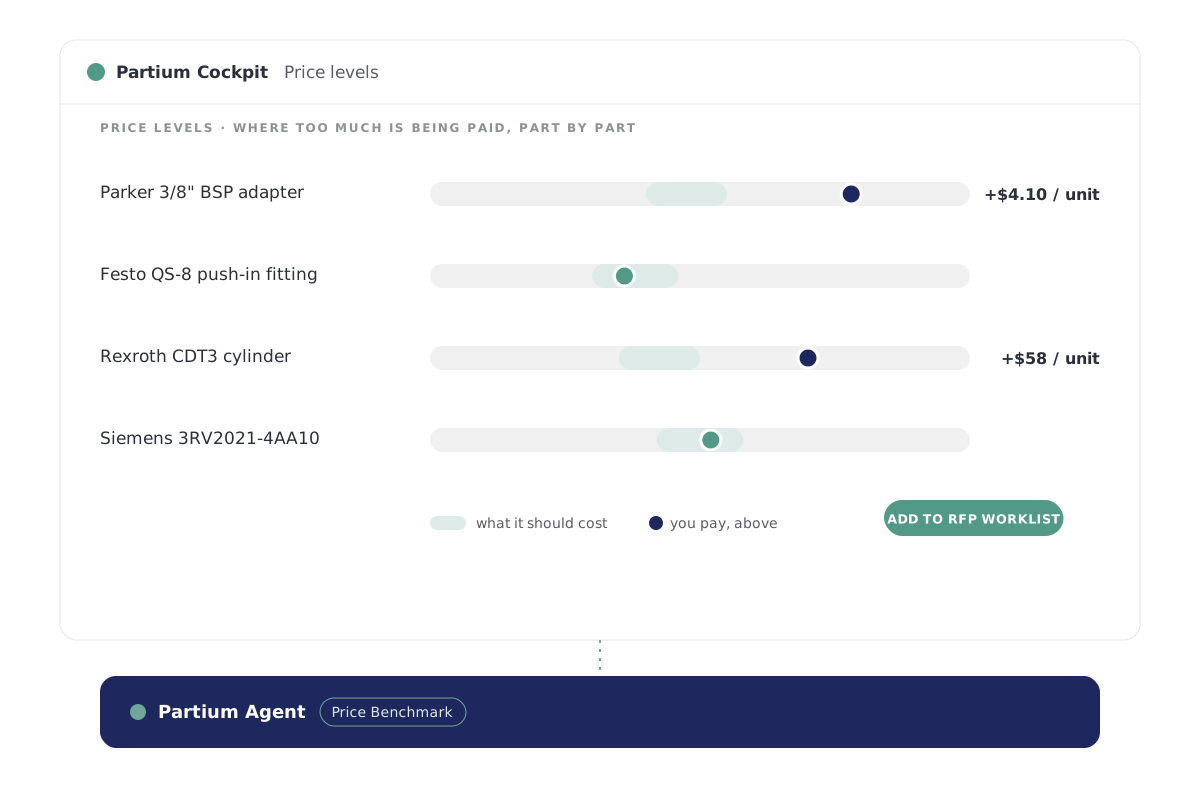
What this part should cost.
Price Benchmark tells you what a part should cost, so every price you pay has a reference.
- See where your spend sits, by category, supplier and part, down to the tail.
- See price outliers, parts bought from too many manufacturers, and the suppliers you depend on, each with the parts behind it.
- Prepare each supplier negotiation on one page: what you buy from them, and what it should cost.
Supplier Consolidation · Partium Cockpit
Who else can supply the part.
For the parts where one source holds the price.
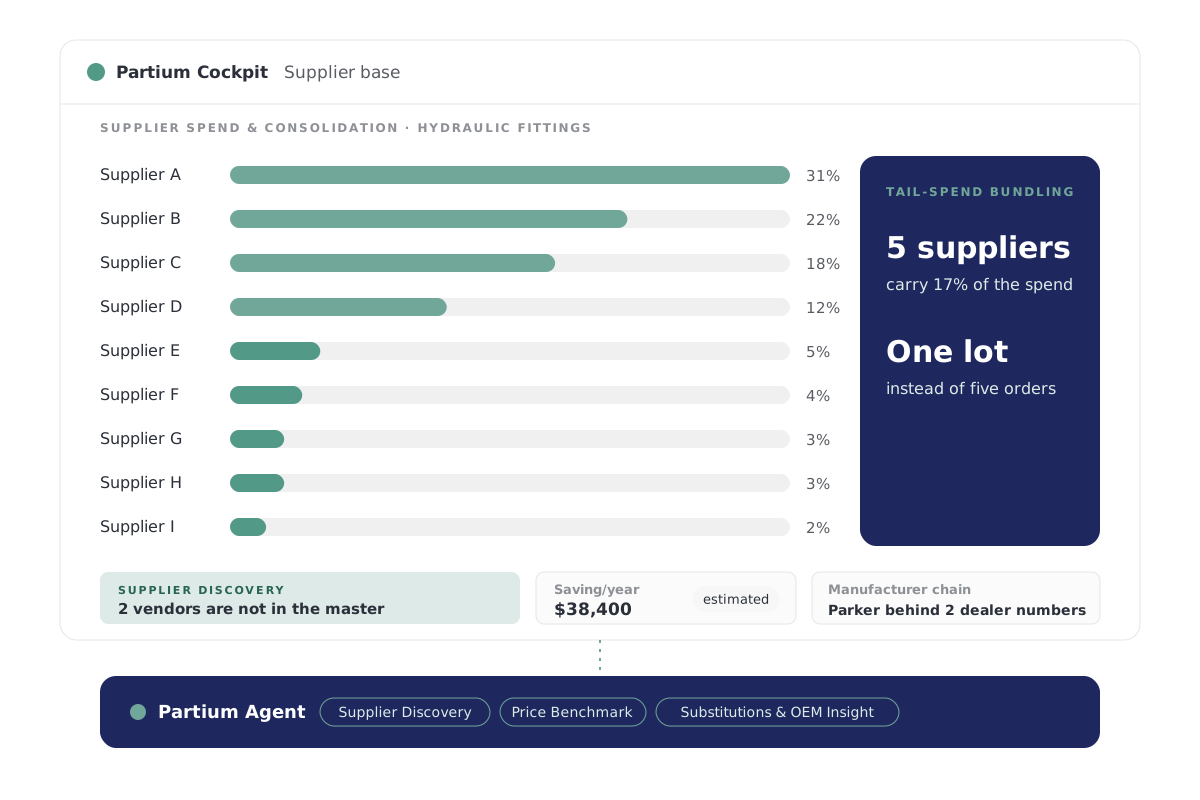
Supplier Consolidation, in Partium Cockpit, does three things:
- Shows how many suppliers you buy one class of parts from.
- Finds who else makes or sells the part, down to the OEM behind a dealer number.
- Estimates what you save when you pay what each part should cost.
Item data · Partium Cockpit
Item data you can take to a tender.
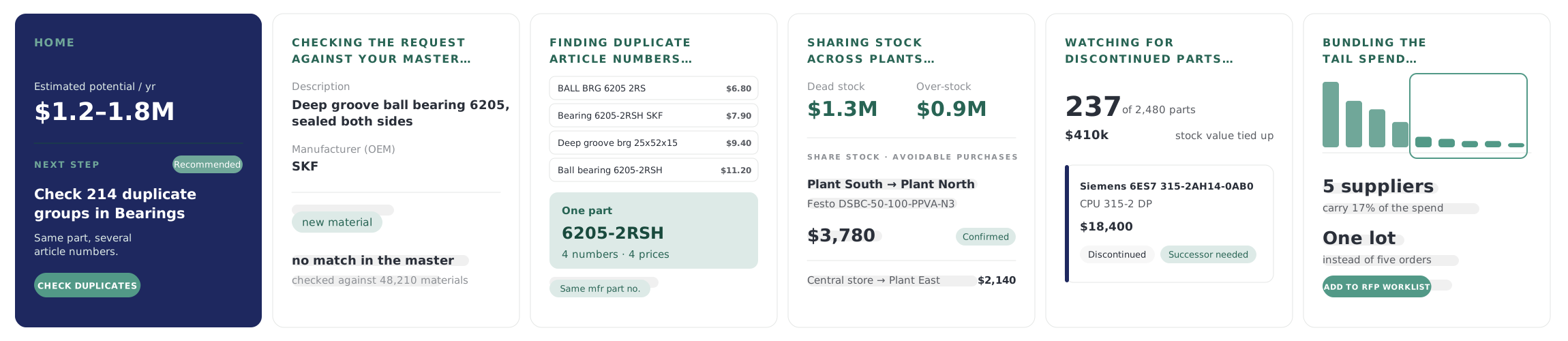
The right part on every line, its manufacturer part number, and no part listed twice.
From a vague request to the right part
Finds the part from the words you have, even when the record is messy. Forgives typos and the many ways one part gets written.
Duplicates merged
Finds the same part filed under different article numbers. Confirms each group by the manufacturer part number. Every duplicate group lists the article numbers that are one part. Stops a new record from adding one more.
Stock you already hold
One search shows where the part is stocked, at every plant, so you find it before you buy it again.
The engine beneath
One engine beneath every price and supplier.
Partium Agent runs beneath every feature of Cockpit and Find. You work in the product; Agent does the work underneath.
You buy Partium Cockpit, Partium Find, or both. Partium Agent comes with either and is not sold on its own.

This page draws on
Price Benchmark · Supplier Discovery · De-Duplication
Questions
What MRO and indirect procurement teams ask.
Does Partium replace our ERP?
Your ERP stays the system of record. Partium Agent reads from it and writes back what your team decides.
How does Cockpit relate to Find and Agent?
Cockpit is where your team works on the catalog, the stock and the price. Partium Find is the separate product for identifying a part in the field.
Partium Agent runs beneath every feature of Cockpit and Find. You work in the product; Agent does the work underneath.
See it on your own spend.
Book a demo, or run a demo license on your own spend.