
The spare you need may already be on a shelf, maybe in another plant.
Spare parts search for maintenance and MRO teams. Partium Find identifies the part at the machine from whatever the technician has, and Partium Cockpit shows where it is stocked, at every plant. Proven at Deutsche Bahn.
AI Material Search · Partium Find
At the machine, start with what you have.
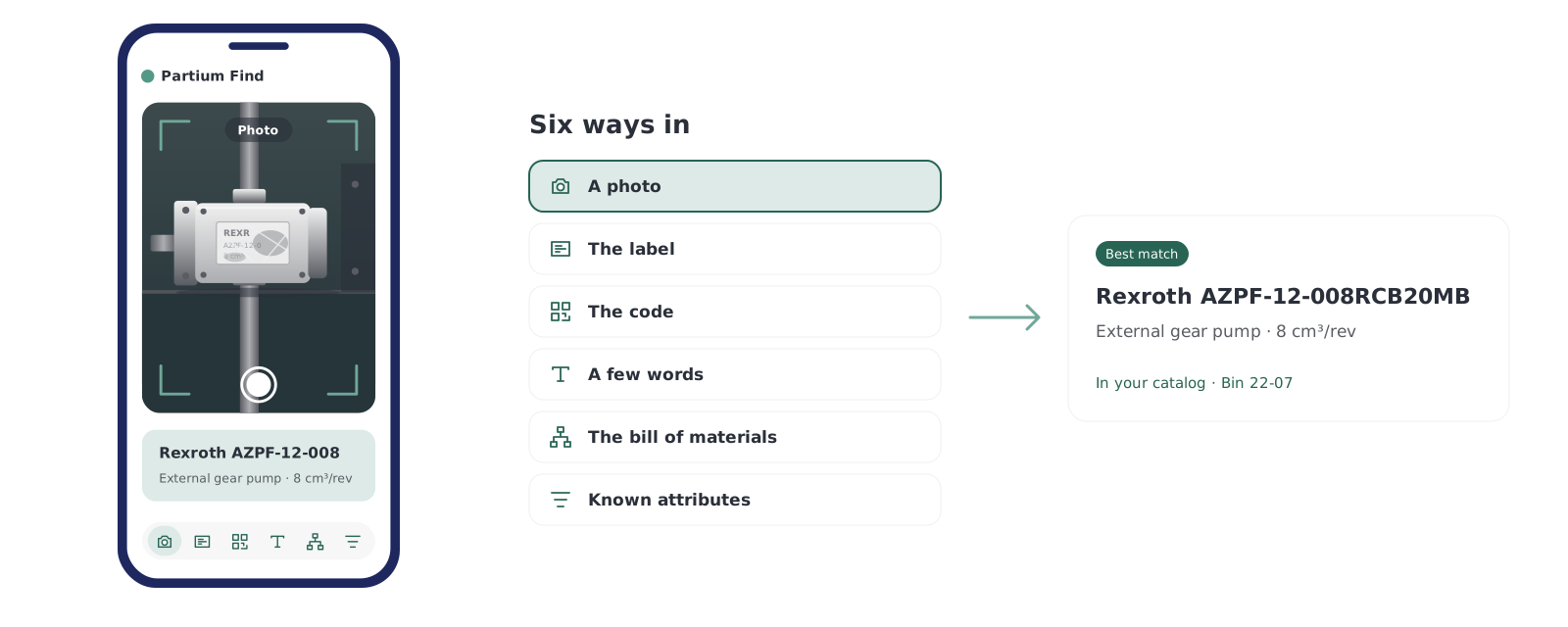
Partium Find identifies the spare part from whatever you have at the machine: a photo, a label, a code, a few words or the bill of materials.
Semantic Multi-Modal Search finds the part from the words you have, even when the record behind it is messy.

The label
Scan the label or nameplate, and Find returns results from the text on it.

The code
Scan a barcode or QR code to go straight to the part.

A few words
Type what you know: a few words, a function, part of a description. Find searches by meaning, not by exact naming.

The bill of materials
Use the bill of materials to narrow down a part that is hard to name.

A photo
Take a photo of the part. Find matches it even when the part is worn, dirty or obfuscated.

Then narrow it
Narrow the results by manufacturer, dimensions or category.
Proven at Deutsche Bahn
Where part search cannot afford to fail.
At Deutsche Bahn, Partium supports 95 maintenance plants and 12,200 technicians and users, helping deliver 46,800 person-days saved in one year through faster part recognition and search.
- 95
- maintenance plants supported
- 12,200
- technicians and users
- 46,800
- person-days saved in one year

Inventory Optimization · Partium Cockpit
Maybe it is already on a shelf.
One search shows where the part is stocked, at every plant, so you find it before you buy it again.
The criticality your team sets outranks the model, so a spare the plant cannot run without is not flagged as stock to cut.
Inventory Optimization, in Partium Cockpit:
- Finds the plant that needs stock another plant holds.
- Share stock, centralize it or pool demand across your plants.
- Pools the demand for one commodity across plants, so it is bought together.
- Dead stock and overstock, part by part, with the capital tied up in each and its criticality.
 See Inventory Optimization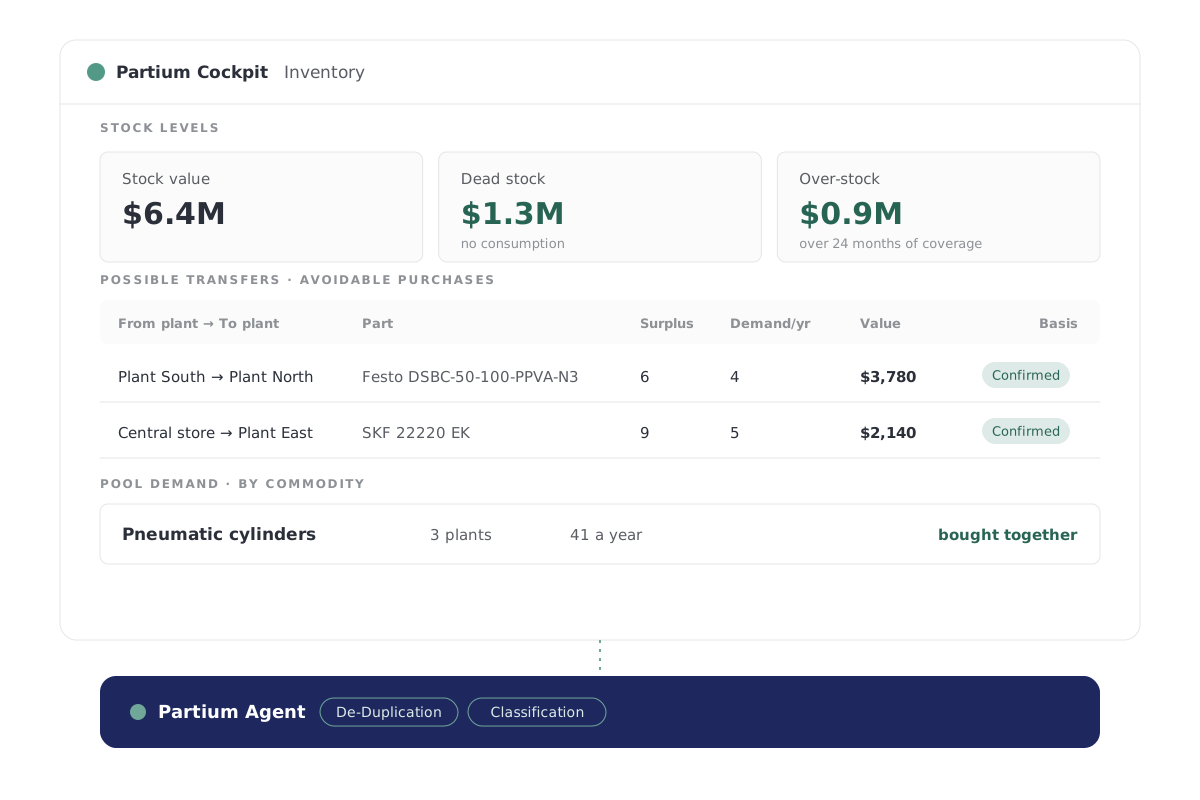
Obsolescence Monitor · Partium Cockpit
Before a part is discontinued.
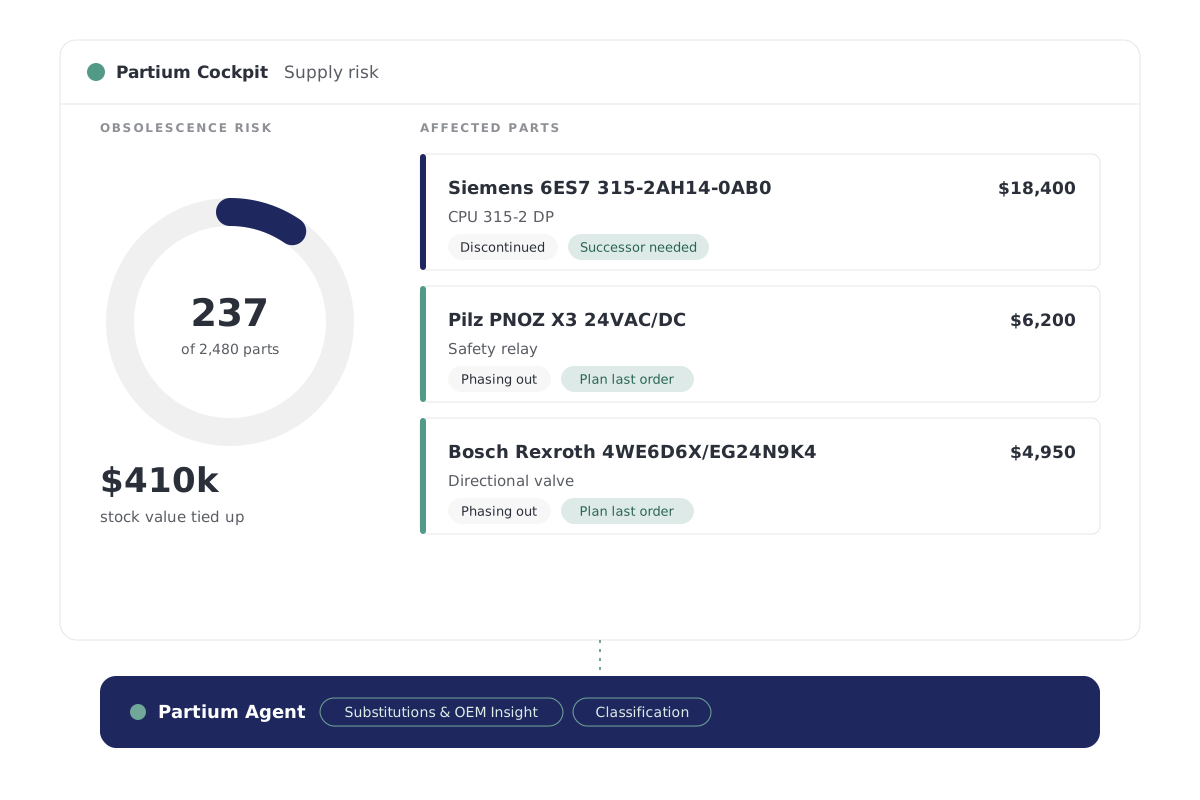
See if a part is active, phasing out or obsolete, so you plan for obsolescence instead of reacting to it.
An alternative is proven the way your engineers prove it: by the spec, the manufacturer's part number and incoming inspection.
Obsolescence Monitor, in Partium Cockpit, does three things:
- Shows which parts are active, phasing out or obsolete.
- Gives the date that matters, while there's time to plan.
- Names potential alternatives for parts heading for obsolescence.
Material Creation · Partium Cockpit
One part, one record.
For the storeroom, which keeps the part records: a new part is checked against your catalog before it is created. Material Creation, in Partium Cockpit, does three things:
Checks every request against your master, so a part you already have isn't created twice.
Fills in the attributes the record is missing before the part goes live.
Gives each new part its suppliers, lead times, a price reference and its lifecycle status.
The engine beneath
One engine beneath the search and the stock.
Partium Agent runs beneath every feature of Cockpit and Find. You work in the product; Agent does the work underneath.
You buy Partium Cockpit, Partium Find, or both. Partium Agent comes with either and is not sold on its own.

This page draws on
Semantic Multi-Modal Search · Substitutions & OEM Insight · De-Duplication
Questions
What maintenance teams ask.
How do I find a spare part’s number?
Take a photo of the part, scan its label or describe it in a few words. Find searches your catalog and shows the matching part with its number.
Which systems does Find work with?
Find searches your own catalog and works beside your ERP and CMMS. For OEMs, it runs as a search inside the parts portal or shop you already have.
How does Find relate to Partium Cockpit?
Cockpit is where your team works on the catalog, the stock and the price. Partium Find is the separate product for identifying a part in the field.
See it on your own catalog.
Book a demo, or start with a demo license.