November 12, 2026
•
Part Search
•
Philipp Descovich
AI Parts Identification: What It Does With Your Spare Parts Catalog
AI parts identification matches what a technician has at the machine to the parts in the plant's own catalog, by meaning rather than by exact words. Here is what it needs from the plant, where people stay in charge, and four tests to run on your own parts before you believe any demo.
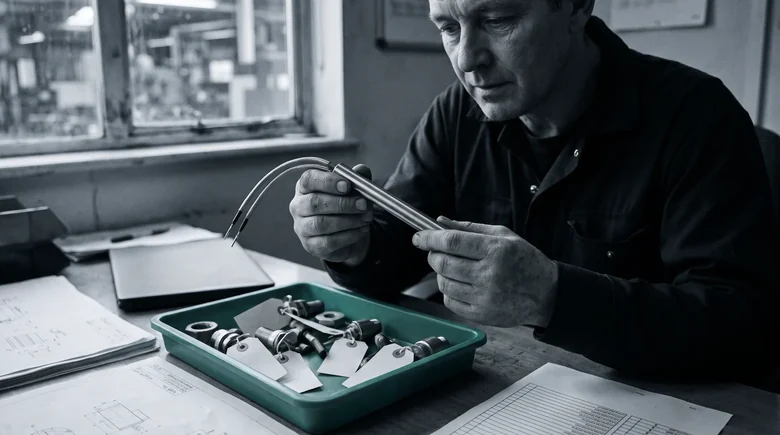
A technician holds a valve coil with a scuffed label and types the three words that describe it. In the office upstairs, the head of maintenance has heard that AI finds any part and wonders what it would make of a catalog built over decades by a dozen different people. AI parts identification is what sits between the two: software that takes what you have at the machine and matches it to the parts in your own catalog. The ways in are laid out on the spare parts identification page. This post is about what the AI does once you are in, and how to test it.
The promise is easy to make and hard to check from a slide. A demo catalog is tidy. Yours holds short texts in two languages, makers renamed since the record was created, and parts nobody has searched for in years. What follows is what AI parts identification does with a catalog like that, what it needs from the plant, where people stay in charge, and four tests to run on your own parts.
AI parts identification matches your words to your own catalog
Said plainly, it is a search that understands what you mean. You start from what you have at the machine: a few words, a label, a code, a photo, the bill of materials. The software compares the meaning of that input with the records in your catalog and returns the parts that fit, most likely first.
The difference shows in the words. The technician types "coil for the clamp valve". The record says "COIL, SOL. 24V DC, DIN". A search for exact words needs the record's words and finds nothing. A search by meaning connects the technician's "coil for the clamp valve" with the record's "COIL, SOL." and puts that record near the top. Whether a vendor calls it an AI part finder or identification software, that matching is the job.

It finds what is there. The catalog is the whole universe it searches: your material master, your bills of materials, the maker part numbers your records carry. A part that was never recorded cannot be found, only described. A record with a maker part number, a dimension and a clear text gives the input more to meet than a record with a short text alone. It works from your records. It does not invent a part your plant never stocked.
Before any test, write down where your catalog lives and what it holds: which system keeps the material master, where the bills of materials sit, and how many records carry a maker part number.
The search proposes, and people confirm
AI parts identification returns candidates. It does not decide which part goes into the machine. The person with the part in hand compares the candidates with what is on the bench and confirms the one that matches. That step stays with people, and it should.
For most parts, the confirmation is quick: the maker part number on the record agrees with the fragment on the label, or the dimension matches. For a safety part, the confirmation is the part itself. The replacement is the same type, checked against the part in hand, and a close match is not good enough, whatever the ranking says.
The same boundary holds for the record. When the right part turns up behind a thin record, the search has done its work. Completing the record belongs to the people who own the material master, and the clues from the bench travel with the request so they can do it.
Agree this week who confirms a match on your safety-relevant parts, and write that step into how requests reach the storeroom.
Four tests to run on your own plant's parts
A demo on someone else's catalog shows that the software runs. It does not show what it does with yours. These four tests do, and each is something you can prepare in your own plant:
- Ten parts your technicians struggled with last quarter. Pull them from the work orders or ask the storeroom which requests took longest. For each, note what the technician had at the start and which record turned out to be right. Search from that starting point, not from the answer.
- A search in the technician's words. Take phrases heard at the storeroom counter, such as "coil for the clamp valve", and leave the record's short text aside. A search that works only when you already know the record's words has found nothing new.
- A worn part with no label. Take one from the repair bench with the nameplate gone. Start from what is left: a photo, the machine it came from, the words you would use. Check whether the candidates make sense to the person who knows that machine.
- A near-twin pair that differs in one rating. Two cartridge heaters with the same diameter and the same length, rated for different wattage. They look alike in a photo and read alike in a short text. A good result keeps them apart or puts both in front of a person with the difference visible. A confident answer on the wrong wattage is the failure that costs most.
These tests answer whether identification works on your catalog. Whether it pays is a second question, and building that case on your own data is the subject of evaluating spare parts software. When finance asks for a number, the procurement and inventory ROI calculator starts one from your own figures.
Write the four tests down before the first demo, and hand them to whoever runs it.
Partium Find identifies the part from what you have at the machine
Partium Find identifies the spare part from whatever you have at the machine: a photo, a label, a code, a few words or the bill of materials. The technician's own words are the first way in. Type what you know: a few words, a function, part of a description. Find searches by meaning, not by exact naming. A worn part counts too. Take a photo of the part. Find matches it even when the part is worn, dirty or unlabelled.
Beneath Find runs the part search of Partium Agent. Semantic Multi-Modal Search finds the part from the words you have, even when the record behind it is incomplete or written inconsistently. It searches the catalog where it already is. Find searches your own catalog and works beside your ERP and CMMS. For OEMs, it runs as a search inside the parts portal or shop you already have. A thin record goes on to Cockpit. When a part's record is incomplete, you complete it in Partium Cockpit: Partium Agent proposes what is missing, and your team decides. The reference is Deutsche Bahn. Deutsche Bahn began with Partium at DB Fernverkehr in 2019. Five of its business units then chose one app built with Partium, DB Mat.ID: Fernverkehr, Cargo, Regio, Fahrzeuginstandhaltung and the DB Netz machine pool.
This week, pick the ten parts for the first test: the ones your technicians struggled with last quarter, each with what the technician had in hand and the record that was right. Then book a demo, on our demo catalog or on a sample of yours, and run the four tests in it.
See it on a catalog like yours.
We show you Partium live, on our demo catalog or on a sample of yours.