

Identify the spare part
from whatever you have at hand.
Partium Find is for the technician at the machine, the storeroom and the aftermarket parts desk. A photo, a label, a code, a few words, the bill of materials or what you know about the part is enough to find it in your own catalog. Proven at Deutsche Bahn, across 95 maintenance plants.
 Watch Find in Action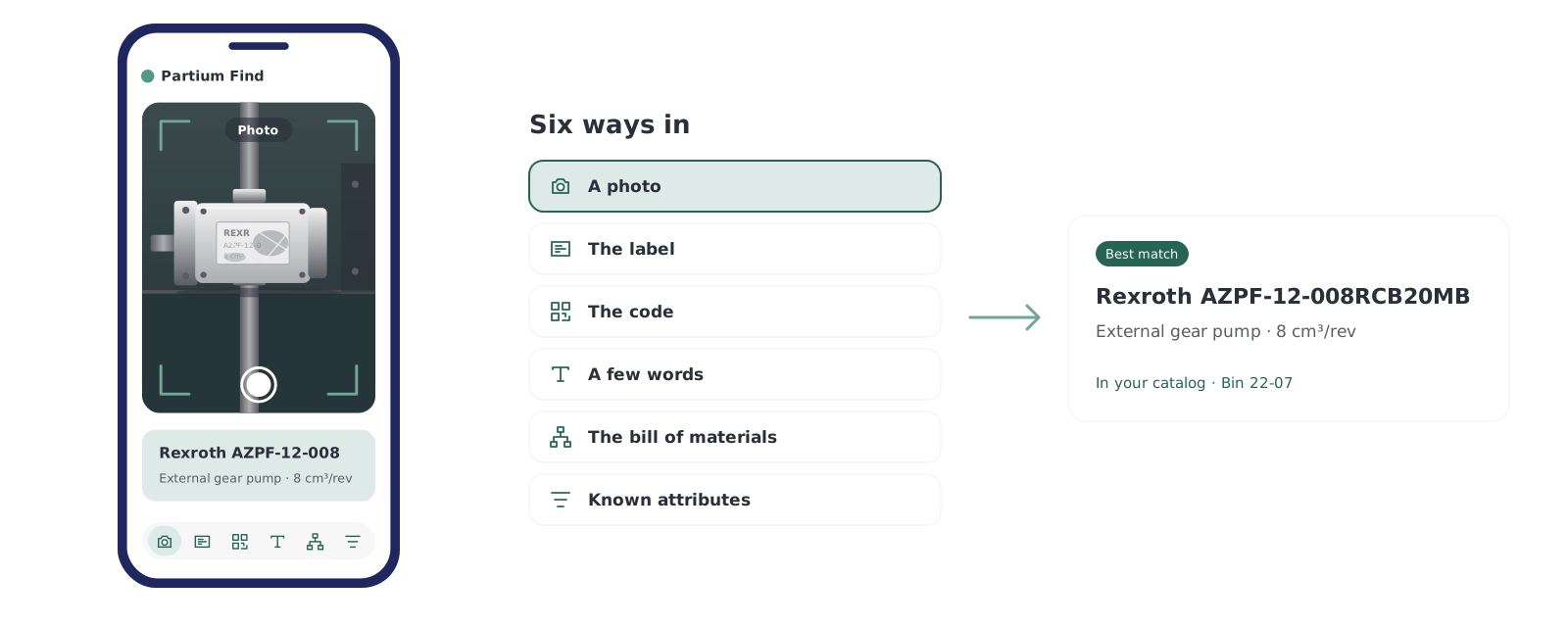













Why it matters
Every dead-end search becomes delay, cost or risk.
When a part cannot be identified quickly and confidently, repairs stall, quotes slow down and sourcing decisions wait.
Find takes that friction out. It turns incomplete inputs into usable matches, so teams move forward instead of chasing answers.
AI Material Search
Every way in leads to the same part.
Semantic Multi-Modal Search finds the part from the words you have, even when the record behind it is messy.

A photo
Take a photo of the part. Find matches it even when the part is worn, dirty or obfuscated.

The label
Scan the label or nameplate, and Find returns results from the text on it.

The code
Scan a barcode or QR code to go straight to the part.

A few words
Type what you know: a few words, a function, part of a description. Find searches by meaning, not by exact naming.

The bill of materials
Use the bill of materials to narrow down a part that is hard to name.

Known attributes
Narrow the results by what you know about the part: its manufacturer, dimensions or category.
Proven at Deutsche Bahn
Where part search cannot afford to fail.
At Deutsche Bahn, Partium supports 95 maintenance plants and 12,200 technicians and users, helping deliver 46,800 person-days saved in one year through faster part recognition and search.
- 95
- maintenance plants supported
- 12,200
- technicians and users
- 46,800
- person-days saved in one year

What Find changes
Messy searches become reliable identification.
Parts work does not stop when the data is messy.

Fewer dead ends, even with incomplete inputs.

Less back-and-forth between service, maintenance and parts teams.

Fewer wrong matches that cause delays or incorrect quotes.

Faster handoffs to quoting, planning and sourcing.

Less dependence on tribal knowledge and the one person who knows the part by heart.
Where it is used
Wherever someone has to find a part.
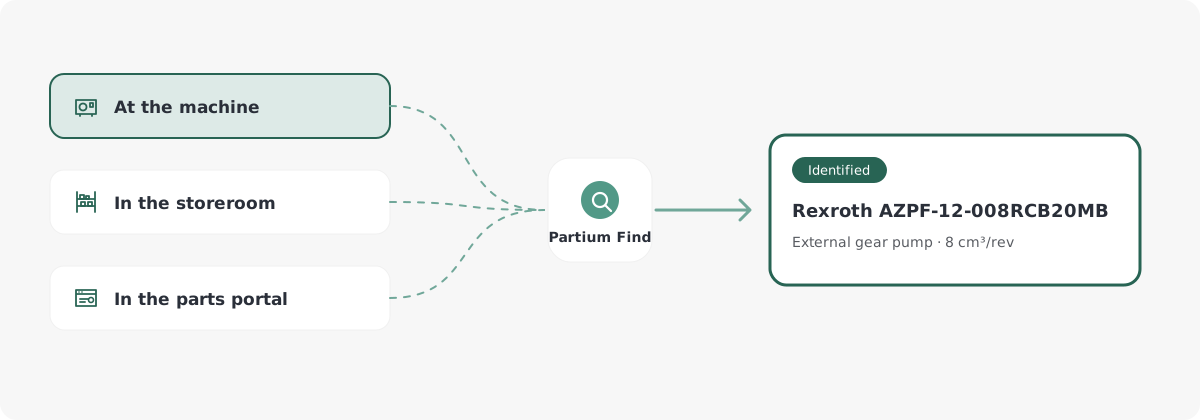
On the plant floor and in the storeroom, Find searches your own catalog. For an OEM, it runs as the search inside the parts portal its customers already use.

Maintenance & MRO
At the machine and in the storeroom
The technician at a stopped machine, the planner with a worn nameplate, the buyer holding a request that says “the blue pump, the small one”. Each starts from what they have and searches your own catalog.

Aftermarket & Service
In the OEM’s parts portal
At ENGEL, Partium’s AI-based spare part search in the ENGEL parts portal lets technicians find parts independently, with fewer part-search hotline calls, more self-served transactions in the shop, and more requests for quotes.
How Find works
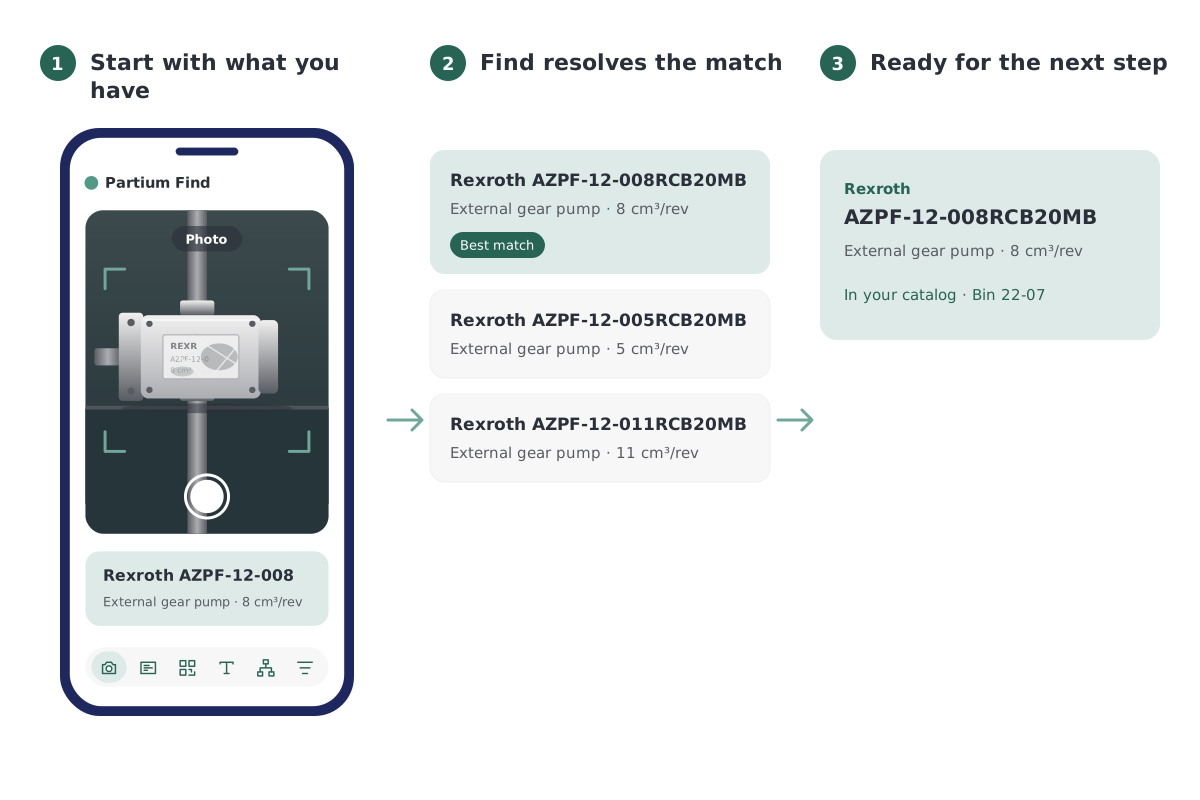
From what you have to the part, in three steps.
Start with what you have
A photo, a label, a code, a few words, the bill of materials or known attributes.
Find resolves the match
It searches your own catalog and shows the matching part with its number.
Ready for the next step
The part is identified, and the work it was needed for can go on.
Then act on it
Found the part. Now make the call.
Partium Cockpit is the AI-driven business layer for parts professionals in maintenance and procurement. Once Find has identified the part, Cockpit shows what it means for the business, with the figures and how they were calculated.
Photograph parts in Partium Find with Image Collection. Partium Agent reads the part data out of the images and makes it available in Partium Cockpit.
Partium Agent runs beneath every feature of Cockpit and Find. You work in the product; Agent does the work underneath.

Find draws on
Semantic Multi-Modal Search · Image Data Extraction
 Explore Cockpit
Works with your systems
Works with the systems you already use.
Find integrates with ERP, CMMS, procurement systems and supplier data. It improves part identification without disrupting existing workflows: no rip-and-replace, faster search where decisions happen.
Questions
What teams ask about Find.
How do I find a spare part’s number?
Take a photo of the part, scan its label or describe it in a few words. Find searches your catalog and shows the matching part with its number.
Which systems does Find work with?
Find integrates with your ERP, CMMS, procurement systems and supplier data. For OEMs, it runs as the search inside the parts portal or shop you already have.
How does Find relate to Partium Cockpit and Partium Agent?
Cockpit is where your team works on the catalog, the stock and the price. Partium Find is the separate product for identifying a part in the field.
Partium Agent runs beneath every feature of Cockpit and Find. You work in the product; Agent does the work underneath.
Related reading
The guide behind these articles: Spare parts management.
October 27, 2026
•
Aftermarket & Service
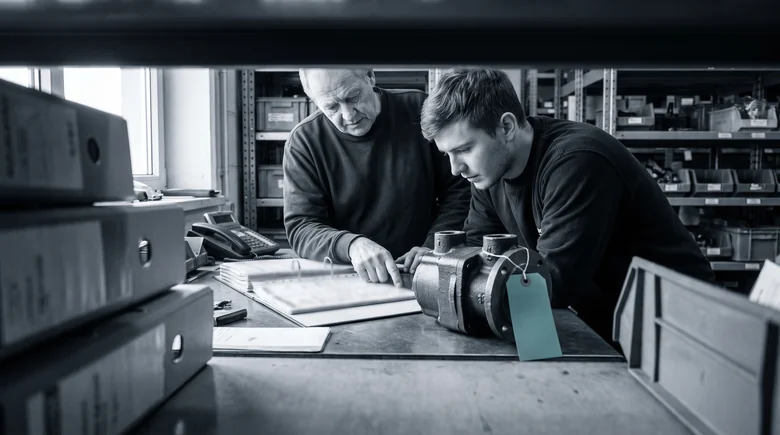
When the Parts Expert Retires: Saving the Parts Desk's Tribal Knowledge
Read More: When the Parts Expert Retires: Saving the Parts Desk's Tribal Knowledge
October 15, 2026
•
Aftermarket & Service
Self-Service Spare Parts Ordering Starts With Sorting the Hotline's Calls
Read More: Self-Service Spare Parts Ordering Starts With Sorting the Hotline's Calls
See Find on a catalog like yours.
We show you Partium live, on our demo catalog or on a sample of yours.