October 15, 2026
•
Aftermarket & Service
•
Philipp Begala
Self-Service Spare Parts Ordering Starts With Sorting the Hotline's Calls
Self-service spare parts ordering starts with a week of hotline calls, sorted into the ones that need an expert and the ones that need only a part the customer can find.
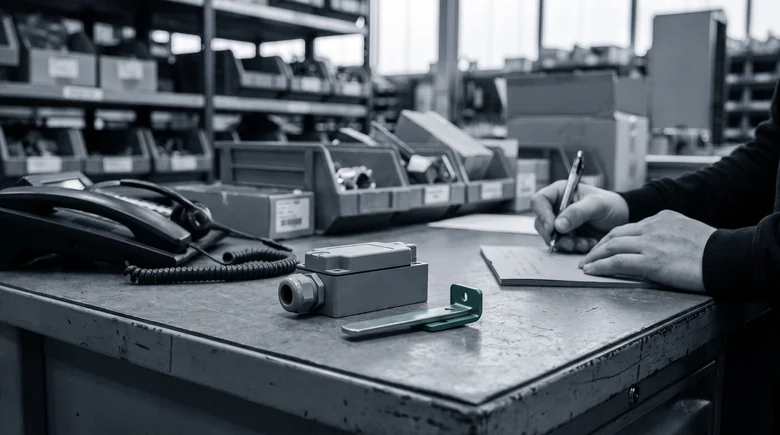
At 7:40 on a Monday, the parts hotline at a machine builder takes its first call of the day. A customer's palletiser stopped over the weekend because the safety door switch on its guard door failed. The maintenance lead knows which part it is: the switch is in their hand, broken actuator and all. What they could not do was find it in the portal. They typed "door switch guard palletiser", got nothing back, and picked up the phone. The hotline looked it up in two minutes and read out the number.
That call ended well, and it still cost two people ten minutes for an answer the customer half had already. Add up the calls that sound the same, and the hotline spends a large part of its day on customers who give up on the portal and call, while the questions that need an expert wait in the queue behind them.
Two kinds of call reach the parts hotline
Listen to a week of calls at the parts hotline and they fall into two kinds. Some need an expert. The customer describes a fault and wants to know which part caused it, asks whether a newer version fits an older machine, or runs a machine that was modified on site, so the parts list no longer matches it. Those calls are why the hotline exists, and they should stay on the phone. The other kind needs only a part the customer can find. The caller knows what they are holding and where it sits in the machine, and they call because the portal did not show it to them.
Aquant's 2025 Field Service Benchmark estimates that about a third of service queries could be solved through self-service. The figure covers service queries in general, not parts alone, and your own share will differ. It is still a useful frame: if anything like a third of your hotline's parts calls are of the second kind, that is the capacity self-service spare parts ordering can give back.
The key below works on a call log or a spreadsheet. Mark each call with one row:
- Fault diagnosis. The customer has a symptom, not a part. Expert.
- Compatibility or substitution. The customer asks whether a newer part fits their machine. Expert.
- Modified or special machine. The parts list does not match what is installed. Expert.
- Known part, not found. The customer can describe or show the part, and the portal search returned nothing or the wrong thing. Findable.
- Known part number, availability or price. The customer has the number and wants stock or a price. Findable, if the portal shows it.

One week is enough. Count the fours and fives against the total. That share is the number to plan with, because it describes your customers, your catalogue and your portal.
Why the findable calls still pick up the phone
The customers in rows four and five mostly tried the portal first. A parts portal usually searches the catalogue's own words and numbers: the part number, the article text, perhaps a category tree. The customer searches with what they see and what the part does. "Door switch guard palletiser" meets a catalogue entry that reads "safety switch, coded, cpl.", and the search finds no overlap. Why that kind of search returns zero results, and what changes it, is the subject of why parts portal searches come back empty.
After an empty search, the phone is the sensible next step. It also becomes a habit. Customers and dealers take the route that worked last time, and if the hotline answered quickly, they call again even after the portal improves. Moving calls to self-service is therefore partly a search problem and partly a matter of telling people. At the end of every call in row four, the hotline can say that the portal now finds the part the customer asked about, and show them how.
What a portal needs before routine calls move
Three things decide whether a call in row four can move. The portal has to accept the customer's description, in the customer's words, and still find the part. It has to show the part with its number, so the customer can order or ask for a quote with confidence. And it has to keep a clear way to the hotline for the calls that need one, so nobody feels shut out.
Partium Find is built for the first two, inside the portal you already run. Find searches your own catalog and works beside your ERP and CMMS. For OEMs, it runs as a search inside the parts portal or shop you already have. The customer with the broken door switch starts from the words they would have said on the phone, or from the number left on the switch. Take a photo of the part, scan its label or describe it in a few words. Find searches your catalog and shows the matching part with its number. Whatever the customer has at the machine is a starting point. Partium Find identifies the spare part from whatever you have at the machine: a photo, a label, a code, a few words or the bill of materials.
ENGEL runs this in its own portal. At ENGEL, Partium's AI-based spare part search in the ENGEL parts portal lets technicians find parts independently — with fewer part-search hotline calls, more self-served transactions in the shop, and more requests for quotes. The ENGEL story tells how it came about.
The hotline keeps the calls in the first three rows, where an expert makes the difference. Start with one week of calls and the five-row key. If rows four and five are a large share, book a demo, or ask for the demo license and run it on the searches your customers typed before they called.
See it on your own catalog.
Book a demo, or start with a demo license.